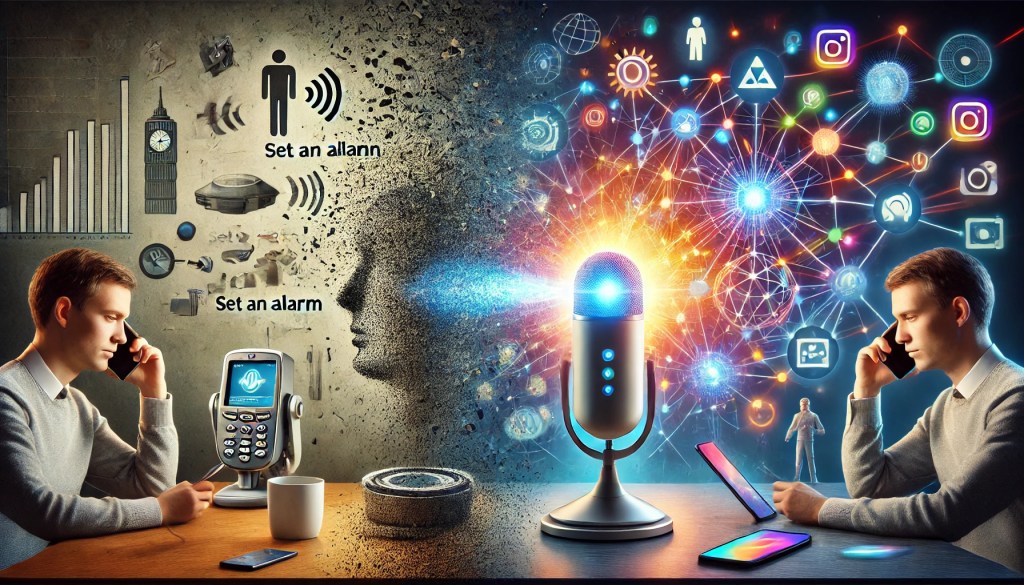
In January 2024, Google announced a significant shift in how Android phones handle voice interactions: the microphone icon on the search bar would no longer activate Google Assistant. Instead, it would now directly trigger a voice search, where the spoken query is transcribed and passed to Google Search. While users could still activate the Assistant by saying “Hey Google” or holding down the power button—if these features were enabled in the phone’s settings—this change marked a clear departure from Google’s longstanding integration of the Assistant into core smartphone functionalities. To me, this felt like the beginning of the end of the Google Assistant as we knew it.
The definitive blow came in early summer 2024, when Google introduced Gemini, its new large language model, and offered users the option to transition from the legacy Assistant to this new system. This shift was initially met with excitement, as many anticipated a leap in capability and usability. However, as users began to transition, they quickly realized that moving to Gemini meant losing access to some of the familiar Assistant features they had come to rely on. Disappointed, some users turned to online forums, searching for ways to revert to the original Assistant.
From my time at Google working on the Assistant team (2018–2023), I saw firsthand the effort dedicated to unifying the voice search feature and the Google Assistant. At one point, the goal was to make the output from both indistinguishable, accessible through the same microphone icon, regardless of how it was activated—whether by saying “Hey Google,” using the power button, or squeezing certain Pixel phone models. The philosophy was simple: users don’t care which engine provides the answer, they just want an answer. This consistency was a significant achievement in user experience design.
However, with the introduction of Gemini, this unified approach has begun to unravel. For example, asking a Gemini-powered Assistant a basic question like “Who was the 32nd president of the United States?” than was previously providing a correct answer, yields now a cautious, almost evasive response:
“I can’t help with responses on elections and political figures right now. I’m trained to be as accurate as possible but I can make mistakes sometimes. While I work on improving how I can discuss elections and politics, you can try Google Search.”
Why would Google consider answering a straightforward historical question potentially “unsafe”? It’s a puzzling choice, especially given that asking the same question via voice search provides a clear, concise response:
“According to Wikipedia, Franklin Delano Roosevelt (January 30, 1882 – April 12, 1945), commonly known by his initials FDR, was an American politician who served as the 32nd president of the United States from 1933 until his death in 1945.”
So why is this information considered safe for search, but not for the Assistant? The answer isn’t entirely clear, but this inconsistency underscores the deeper issue at play here.
These seemingly small changes actually mark the end of an era—the era of traditional virtual assistants. In this post, I aim to explore the reasons behind this gradual decline, which to me, has been predictable. I’ll examine some of the fundamental challenges in the virtual assistant paradigm as implemented by Google, and likely faced by Siri, Alexa, and others as well.
For those of us who, like me, have spent years working on speech recognition, natural language processing, and human-machine dialogue, building a virtual assistant was a long-held dream—a culmination of decades of progress in these fields. I first learned about Siri around 2007–2009 when the eponymous startup, spun off from SRI (Stanford Research Institute), launched the app on the iPhone App Store. It was a breakthrough moment for the industry: for the first time, speech recognition wasn’t confined to cumbersome automated call centers and captive, unhappy users. Siri showed the world how voice could be seamlessly integrated with smartphone APIs to execute tasks through simple commands.
The original Siri featured a limited set of functions—setting timers, managing calendars, making phone calls—but that was enough to ignite the era of virtual assistants. Apple’s acquisition of Siri in 2010 and its launch alongside the iPhone 4S in 2011 was a pivotal moment, solidifying the vision of voice-controlled devices. At the time, I was completing my first book with MIT Press, The Voice in the Machine, which explored the history and technology of human-machine communication by voice. Inspired by Siri’s launch, I quickly added a final chapter on Siri before the book went to press in June 2012.
Siri’s initial success set off a wave of innovation, leading to the rise of home assistants like Alexa in 2014 and Google Home in 2016. The virtual assistant teams at Apple, Amazon, Google, Microsoft, and Samsung grew in size and expertise, advancing spoken language technology across the board. And yet, despite all of this progress, widespread user adoption never really took off.
Reflecting on this, how many people do you know who genuinely use a virtual assistant as part of their daily routine—beyond setting kitchen timers, playing music, or turning on lights? Personally, I know very few, if any. Virtual assistants never achieved the ubiquity of something like Google Maps. If these assistants were to disappear tomorrow, only a small number of people would feel any real disruption. On the other hand, if Google Maps were to vanish overnight it would be a disaster; many of us would struggle with something as basic as our daily commute.
This stark difference with an ubiquitous, I would say viral, product like Google Maps highlights a fundamental issue: a lack of product-market fit for virtual assistants. But why did this happen? The answer, I believe, lies in several key challenges:
- Poor Discoverability of Features: Users often don’t know what commands an assistant can handle or how to trigger them, resulting in underutilization of potentially valuable capabilities.
- Inconsistent Usability: As demonstrated by the shift to Gemini, virtual assistants are now more inconsistent and cautious in their responses, diminishing trust and usefulness.
- Limited Economy of Action Advantage: Most virtual assistants offer only marginal time savings compared to using traditional graphical interfaces. Complex tasks where voice truly excels remain underdeveloped or undiscovered by users. Of course except for situations where people cannot use their hands to control a GUI like, for instance, when driving a car.
Let’s look at these issues in more detail.
Feature discovery
While the number of features built into major virtual assistants has grown enormously over the past decade, their main problem has been discoverability. Most users simply don’t know what these assistants are capable of. Take Google Assistant as an example, the one I am most familiar with. One highly useful but largely unknown feature was “Where did I park my car?” This command could use location services to detect when you were driving and parked, allowing you to later retrieve your car’s location with a simple voice query. Another sophisticated capability was the ability to set alarms based on contextual time markers like sunrise, sunset, or even “the next Giants game” or “my sister’s birthday” (assuming you let the Assistant know you have a sister and when her birthday was, and that was possible too). You could just say, “Set an alarm two hours before sunrise” or “Set an alarm 30 minutes before the next Giants game,” or “at 12PM the day before my sister’s birthday” and the Assistant would automatically calculate the correct date and time, and set the alarm accordingly. These features required a lot of engineering sophistication, they could save time for the users, and yet their usage remained abysmally low—largely because users were unaware they existed.
Home automation is another powerful feature that demands some technical savvy to set up, while other popular uses—like setting calendar events, checking the weather, and so on—were known, but even there, users often didn’t grasp the full range of available commands. For example, Google Assistant could manage personal queries about calendar events and bookings (flights, hotels, restaurants), provide news updates, give directions, answer and make phone calls using nicknames (e.g., “Call my mom”), set reminders, timers, and alarms, play media (songs, movies, etc.), act as a multilingual interpreter, tell jokes, play games, make animal sounds, facilitate general chit-chat, and interact with third-party applications.
The unfortunate reality is that most users were either unaware of these capabilities or didn’t find them useful enough to integrate into their routines. Rather they preferred to use the GUI interface available on their phone to get to the same results.
The usability paradox
One of the problems with the early assistant, I mean earlier than the exploitation of Large Language Model (LLM) technology (like ChatGPT and Gemini, so to speak) is that they did not have a wide coverage of all the natural language expressions that could be associated with a certain command. Paradoxically, using simple command-and-control keywords worked decently, and that is because a small number of intuitive commands, or keywords, can be easily learned and remembered by the users: weather New York, call 123 456 5555, switch lights off. However, when “some” natural language expressions are allowed, users started to use simple expressions that are more natural than commands: what’s the weather in New York, please call 12 456 5555, switch all the lights off. With that, users get confidence with the system, and trust that the system can understand all sorts of natural language expressions. But if the allowed natural language expressions do not cover “all” the possible expressions, soon users hit on an expression that did not work, for instance Can you please tell me what the weather forecasts in New York are for Thanksgiving may not work, and their confidence level with the systems drops dramatically.
Since some of the expressions work, and some may not, and there are a large number of features, users will not be able to learn or remember which expressions work and which do not, drastically reducing the reliability and the trust in a virtual assistant. Having to ask “how do I ask for that?” is a failure of the user interface.
I remember once, many years ago I visited a famous luxury car manufacturer, who was introducing speech recognition in their high-end models, to control a number of features of the car, like climate windows locks, entertainment system, etc. The system allowed for a few dozen commands, but you had to phrase each command in a specific manner to be able to access that feature. However no user could learn by heart all those commands, and the instruction manual had a few pages including the list of commands and the specific way they should be spoken. Of course having to look at that list before speaking a command was a huge usability failure and users ended up not using spoken commands.
Another problem deriving from allowing some natural language expressions, and not all possible natural language expressions, is that if the user acquires some confidence that the systems understand natural language, they may ask for features that are not implemented, only to get a punt answer, that leaves the user with the doubt on whether the assistant truly did not understand a request for a capability that is possible, or the capability is not really possible.
Of course that was pre-LLMs. Today, with commercial LLMs such as ChatGPT and Gemini, or open source ones such as LLama, potentially all natural language expressions can lead to a result. However we should consider that the potential of results that are actually hallucinations, and thus provide wrong answers, is still non insignificant, and a vast number of requests may ask the system to actually do things that require an interaction, through an API, with an external system, like a weather service, a booking systems, etc., that may not have been implemented. That will result in a discoverability problem again: what commands will lead to a result and what will not, even with a powerful NLU backend as a LLM.
GUI vs Voice
There is little direct competition between virtual assistants like Google Assistant, Alexa, and Siri. Each is tightly integrated into its own ecosystem, and users generally stick with the one that aligns with their devices. For example, iPhone users primarily rely on Siri, while Android users typically use Google Assistant. Similarly, home devices are locked into their respective ecosystems: Apple HomePod uses Siri, Amazon Echo depends on Alexa, and Google Home is tied to Google Assistant. Some devices, such as Bluetooth speakers, like Sonos, offer the flexibility to choose between Google Assistant and Alexa, but overall, the competition is more about the choice of the brand ecosystem than the assistants themselves. It’s unlikely that someone would switch ecosystems solely because one virtual assistant is slightly better than another.
In reality, the primary competition for virtual assistants comes from within the smartphone itself: the alternative of using a graphical user interface (GUI) to complete tasks, rather than voice. Indeed, often a GUI is just as effective, if not better, than voice commands. The choice between using voice or a GUI can be understood through what I call the “economy of action advantage”—the efficiency gained by choosing one method over the other based on the task to be accomplished.
I first recognized the importance of the “economy of actions” concept a few years ago when I had the opportunity to work with a personal assistant—an actual human assistant, that is. One of the assistant’s key responsibilities was managing my daily tasks, particularly my calendar. However, I quickly realized that with the sophistication of modern calendar apps, it was often faster for me to handle simple tasks—such as scheduling a one-off meeting with a colleague—on my own rather than sending an email or text request to my assistant. If your calendar isn’t overly complex or crowded, the time spent crafting a request is often more than the time it takes to create the event yourself.
On the other hand, when it comes to more complex scheduling, such as organizing a meeting with multiple team members or coordinating across different time zones, which involves negotiating alternatives and accommodating various preferences, the time investment is much greater. In these cases, delegating the task to my assistant made sense. This is what I refer to as the “economy of actions”: a measure of the ratio between the time required to execute a task directly versus the time it takes to request it, whether by voice or text, or through a graphical interface.
Take, for example, the command “set an alarm for 7 a.m.” This voice command takes only slightly less time than manually opening the clock app (one tap) and selecting an existing 7 a.m. alarm (another tap). In this case, the voice command offers only a marginal economy of action advantage over using the graphical user interface (GUI).
Now consider the “where did I park my car” feature. If I were to use a GUI, I would first need to remember to drop a pin on the map application when I park my car, then save it. Later, to find the car, I would have to open the maps app, locate the saved pin, and start navigation. This process also involves remembering to name and manage the saved locations to avoid clutter. In contrast, with a simple voice command—”where did I park my car?”—all of this happens automatically in the background, drastically reducing both the effort and cognitive load. In this case, the economy of action advantage is significant.
The gap becomes even more pronounced with complex tasks like:
- “Make a dinner reservation for two at a restaurant near the office after my meeting with Allan, and remember he is vegetarian”
- “Find the best time for my next team all-hands meeting to maximize participation and minimize travel.”
- “Plan the next offsite for my team in July.”
Unfortunately, most features in current virtual assistants have a negligible economy of action advantage. Setting timers, creating simple calendar events, navigating to a known location, or playing a specific song—all of these are easily done through a GUI with minimal extra effort. The more complex tasks, where virtual assistants could offer substantial time savings and cognitive relief, are either not yet implemented or remain unknown and underutilized by users.
Another important factor to consider is the richness of a GUI interface compared to voice commands. For example, while my smart speaker can easily respond to commands like “play ‘The Look of Love’ by Diana Krall,” I often find myself preferring the GUI interface when I want more control over what I listen to. This is especially true when I don’t remember the exact title of a song or am searching for a specific interpretation. In these cases, it’s far more practical to open the music app on my smartphone, browse through my options, explore tracks, and then cast the selection to my speaker. The visual richness of the GUI allows for more nuanced exploration, negotiation, and discovery, which voice commands generally lack.
It goes without saying that the usability of a virtual assistant, as well as the decision to use it over a GUI, hinges significantly on the accuracy of its speech recognition system. If the system frequently misinterprets spoken commands, it quickly becomes frustrating and discourages users from relying on voice-based interactions. While modern speech recognition technology has advanced significantly and is far more accurate than in the past, there are still challenges that can undermine its effectiveness.
For some users, particularly those with strong regional or non-native accents, speech recognition errors can be more frequent, leading to a less satisfying experience. In addition, noisy environments—whether in a busy office, a bustling household, or on the street—can further degrade the accuracy of voice commands. These factors often push users to revert to a more reliable, controlled interface like a GUI, where input errors are less likely to occur.
Despite these advancements, speech recognition systems are not yet perfect, and this limitation continues to influence the choice between voice commands and other interfaces. The assistant may excel at simple commands in quiet environments but struggle when confronted with more complex language, varied speech patterns, or challenging acoustic conditions. This inconsistency is a crucial factor that limits the broader adoption of virtual assistants, especially in diverse, real-world scenarios where users expect seamless interaction. To truly compete with GUIs, virtual assistants need not only better understanding but also more robust handling of diverse and unpredictable environments.
Conclusions
The fact that virtual assistants, despite the initial excitement from those of us in the fields of speech and natural language technology, never became truly viral speaks volumes. Think about how many people you know who regularly rely on a virtual assistant for more than just basic tasks like playing a song or turning on the lights. Chances are, it’s hard to find anyone in your circle of friends or colleagues who uses a virtual assistant extensively. In fact, I myself know very few people who use them regularly, including myself.
That said, I haven’t touched on a key area where virtual assistants have proven to be genuinely useful—situations where using a graphical user interface (GUI) is simply not an option, such as while driving. Automotive applications remain one of the few strong use cases for virtual assistants, allowing users to make calls or navigate hands-free. And of course, accessibility is also a strong use case for voice assistants. Beyond that, however, the virtual assistant revolution that began over a decade ago with Siri has not lived up to its promise of replacing traditional interfaces with voice interactions. The core problem lies in product-market fit, compounded by the issues discussed earlier: poor feature discoverability, inconsistent usability, and a lack of significant “economy of action” advantages when compared to modern, highly intuitive GUIs.
However, there is new hope on the horizon with the advent of generative AI. This technology has the potential to fundamentally reshape the way virtual assistants are designed and used. For instance, Google is transitioning its legacy Google Assistant into a system driven by Gemini, a generative AI platform. This shift could resolve the long-standing usability paradox by enabling assistants to interpret a broader range of user inputs with greater accuracy and context. Moreover, these systems may soon offer advanced contextual reasoning, which could finally unlock the ability to solve more complex, everyday problems—not just through scripted commands, but by truly understanding the user’s intent.
In essence, while the initial promise of virtual assistants fell short, the integration of generative AI might just be the key to finally realizing their full potential. The question is whether this next evolution will succeed where the previous one stalled, by offering a seamless, intuitive, and truly useful experience that can complement or even replace the interfaces we’ve grown accustomed to.
What I personally believe is that the virtual assistant industry has been primarily focused on solving the challenges of voice and natural language interfaces, rather than addressing the more significant problem of building agents that can handle complex, multifaceted tasks—tasks that couldn’t be accomplished as effectively through other means. For example, creating a virtual assistant that can “plan the next offsite for my team” involves much more than simple voice recognition. It requires a system capable of managing logistics, understanding individual preferences, negotiating availability, and making decisions based on multiple factors. This level of sophistication is where true value lies, yet most current virtual assistants fall short in delivering these kinds of advanced, task-driven solutions.
Despite the setbacks, I’m hopeful that the lessons learned from the era of traditional assistants will help pave the way for a new generation of more capable, context-aware, and versatile AI agents. Generative AI, such as Gemini and ChatGPT, holds the potential to revolutionize this space by interpreting nuanced user inputs and solving complex, everyday problems.
The key question is whether this new wave of innovation can finally bridge the gap between ambition and reality. Only time will tell if virtual assistants can evolve into the indispensable tools we once envisioned—or if they’ll remain as background players in the ever-evolving landscape of digital technology.

 THE VOICE IN THE MACHINE
Leave a comment